
Inductive Proximity Sensor Mounting: Flush vs Non-Flush & Nearby Metal
An inductive sensor can switch at one distance on the bench and at another after it is mounted. The bracket and nearby steel become part of the electromagnetic environment around the active face. Flush-mountable sensors tolerate surrounding metal under specified conditions; non-flush sensors need clear space around the active end. Clearance and sensor spacing are model-specific.
Set the machine gap from the assured operating region, then test the production target with the installed bracket, frame and full mechanical tolerance range.
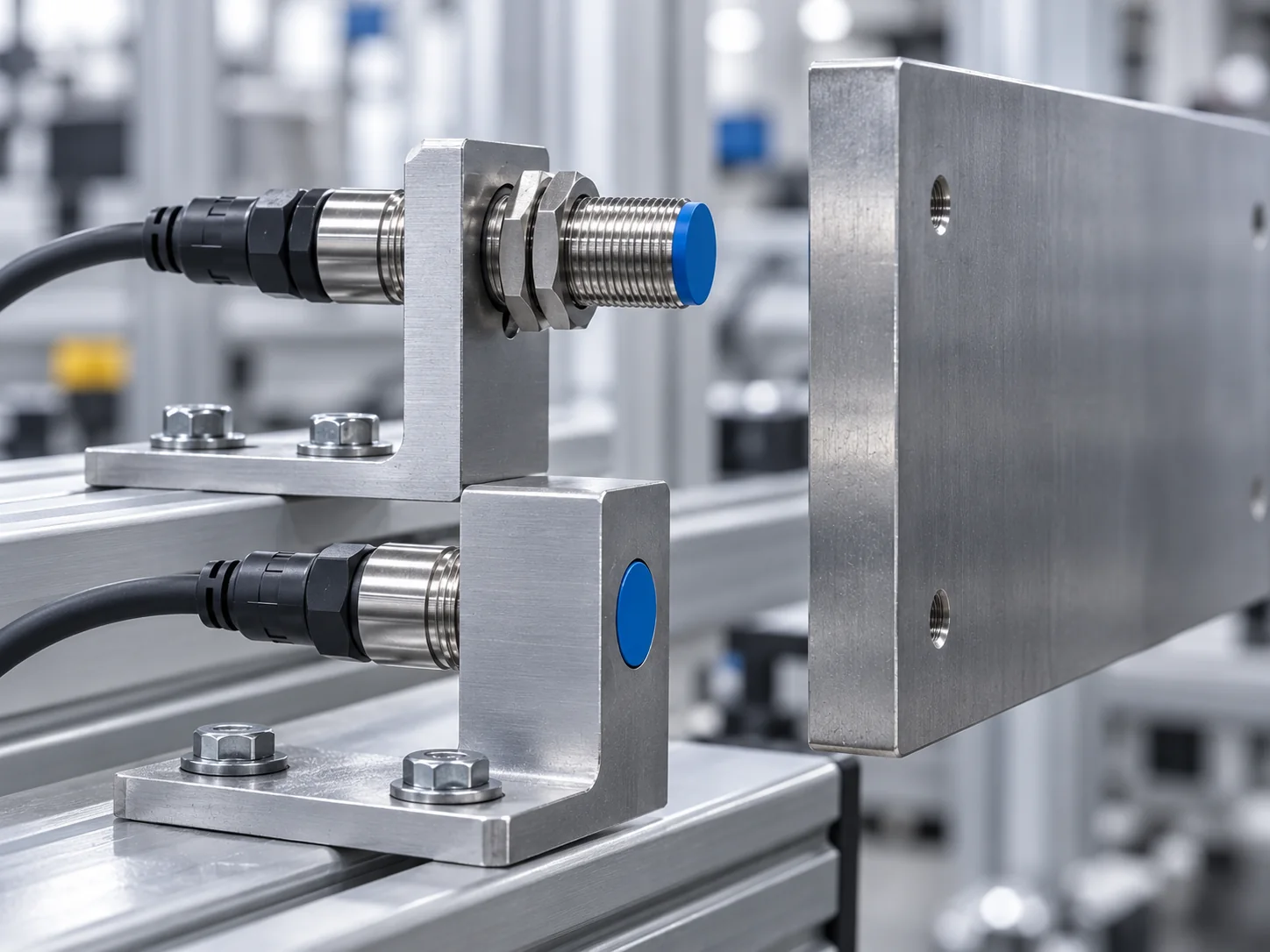
If a sensor works in free air but loses range, chatters or stays ON after mounting, test the switch point again with the final bracket and nearby machine metal installed. Moving the target closer may hide the mounting fault without restoring useful margin.
Why can a metal bracket change inductive sensing distance?
An inductive proximity sensor drives an alternating electromagnetic field from a coil behind the active face. A conductive metal target entering that field develops eddy currents; the sensor electronics detect the resulting change and switch the output. Metal beside or behind the active zone can also interact with that field. The effect depends on the sensor construction and on where the metal sits relative to the active face.
Mounting effects
- Metal surrounding the active end can pre-damp a non-flush sensor.
- A steel bracket or frame can reduce available operating margin even when the target still switches on a bench.
- Background metal beyond the target can become relevant when clearance is small.
- Bracket vibration can move the sensor through the switch and release points.
What mounting does not guarantee
- PNP, NPN and 2-wire behaviour are electrical issues, not mounting effects.
- The rated distance printed for the model is not a guaranteed machine gap.
- Flush mounting does not remove the spacing requirements for adjacent sensors or opposing metal.
- A larger nominal range cannot compensate for incorrect mounting geometry.
Flush-mountable and non-flush sensors need different metal clearance
A flush-mountable or shielded inductive sensor shapes the field so the active face can be installed level with surrounding metal under the stated mounting conditions. A non-flush or unshielded sensor uses a wider lateral field and generally provides more range for the same body size, but the active end must project into a metal-free zone.
Flush / shielded
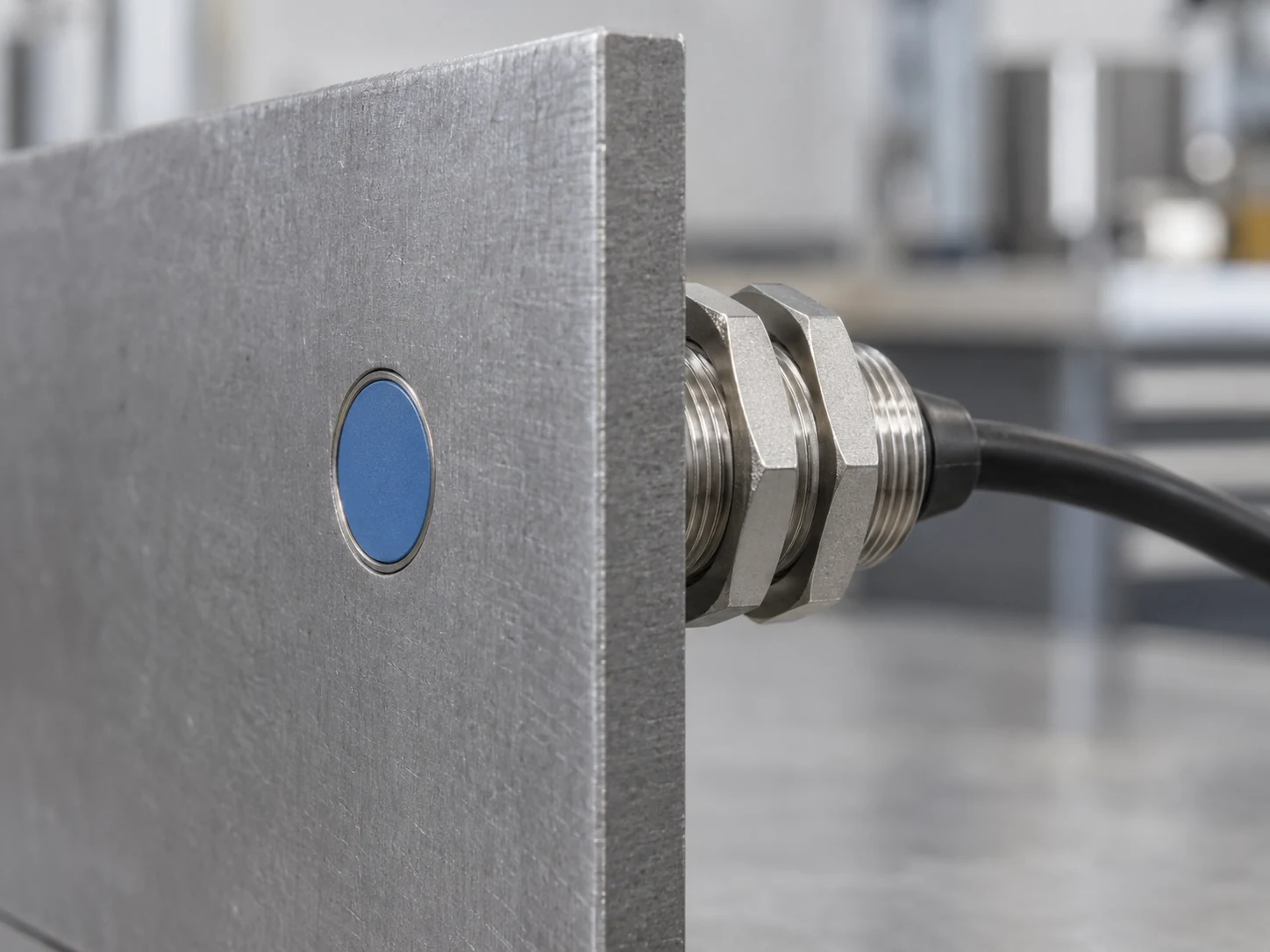
Flush mounting still has limits for opposing metal and adjacent sensors. Use the spacing values in the model drawing.
Non-flush / unshielded
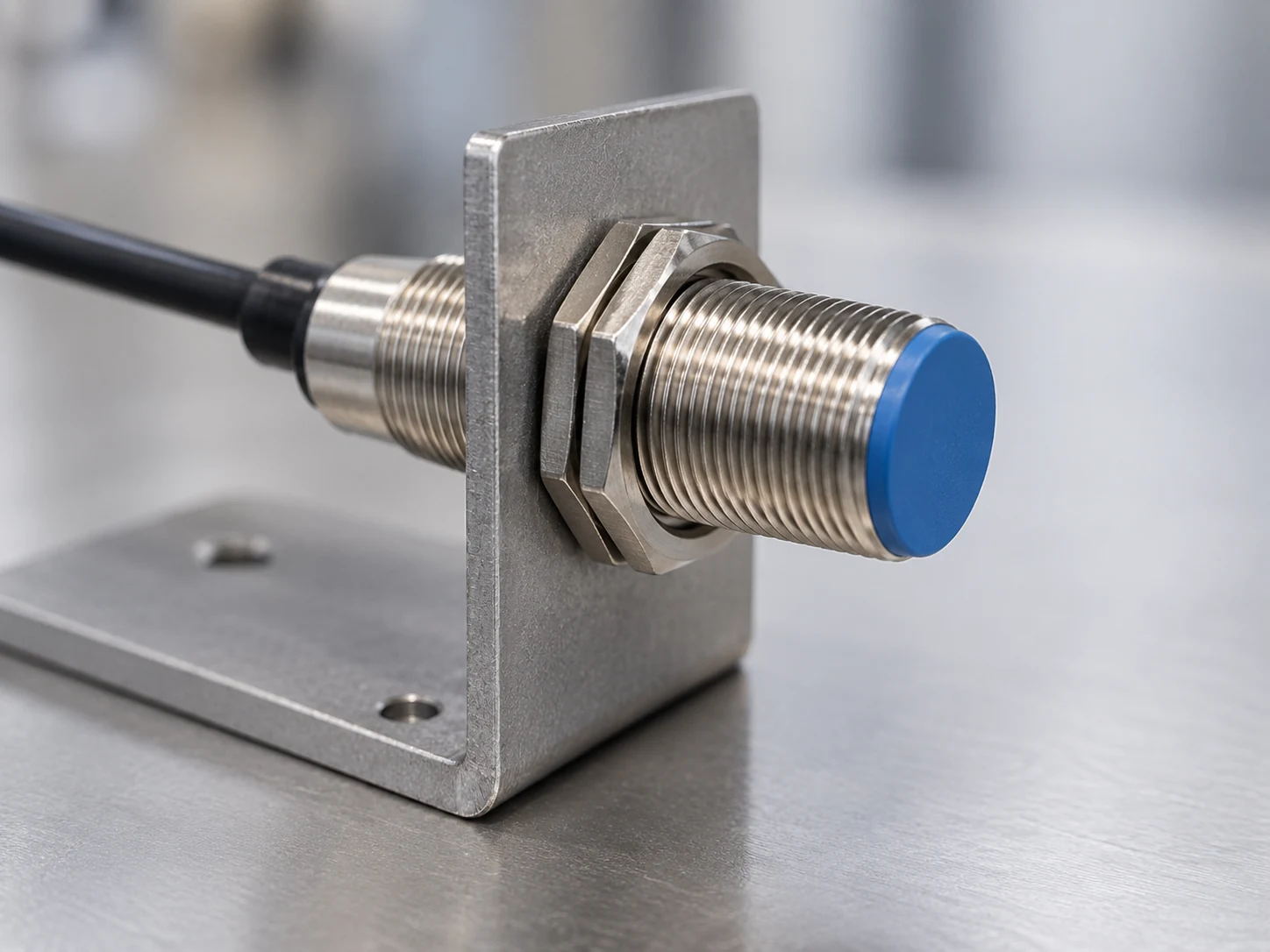
Required protrusion and side clearance vary by sensor family. Use the model drawing rather than a universal rule.
| Feature | Flush / shielded | Non-flush / unshielded |
|---|---|---|
| Other name | Embeddable. | Non-embeddable. |
| Mounting in metal | Designed for the active face to be level with surrounding metal within the manufacturer's stated conditions. | Active end normally projects beyond the metal mounting surface and needs a defined clear zone. |
| Field geometry | More constrained laterally. | Extends farther to the side as well as forward. |
| Typical range trade-off | Usually shorter than a comparable non-flush model of the same diameter. | Often selected when more sensing distance is needed and mounting space is available. |
| Main installation risk | Assuming “flush” removes all spacing requirements. | Predamping, reduced range or continuous influence from nearby metal. |
| Design basis | Use the clearance and spacing values from the model drawing. | Use the required protrusion and metal-free zone from the model drawing. |
Nominal sensing distance is not the machine working gap
For standard inductive proximity switches, IEC 60947-5-2 distinguishes the rated operating distance Sn, effective/real operating distance Sr, usable operating distance Su and assured operating distance Sa. For inductive sensors, Sr is normally within 90–110% of Sn; Su is within 90–110% of Sr under the specified supply and ambient range; assured operation is within 0–81% of Sn. Some datasheets also publish a set distance or recommended setting range below the nominal value; when that range is given, use the product-specific figure rather than deriving one from a generic percentage.
Production targets rarely match the standard test target
Rated sensing distance is established with a standard mild-steel target. Under EN/IEC 60947-5-2, the reference target is a 1 mm thick square of Fe 360 (ST37) steel; its side length is the larger of the sensing-face diameter or 3 × Sn. A small screw head, a thin edge, stainless steel, aluminium or copper can switch at a shorter distance. The correction factor is sensor-specific: ordinary inductive sensors often show lower range on non-ferrous metals, while factor-1 designs are built to reduce or remove that material dependence.
| Target | Typical behaviour on conventional sensors | What to verify |
|---|---|---|
| Mild / carbon steel | Usually the reference material and commonly treated as factor 1. | Still verify actual target size, thickness, approach direction and working gap. |
| Stainless steel | Often lower range than mild steel; many standard product families are around 0.7, but values vary. | Use the exact model's reduction factor or operating-distance curve. |
| Aluminium / brass | Conventional sensors often lose a substantial part of their steel range. | Do not copy a generic factor into a safety-critical tolerance stack. |
| Copper | Can produce one of the shortest ranges on conventional designs. | A factor-1 sensor may be preferable if target materials change between products. |
| Small / curved / thin target | May switch closer than a large flat plate even when the material is unchanged. | Test the production part at worst-case position and orientation. |
Metal clearance and mounting distance for inductive proximity sensors
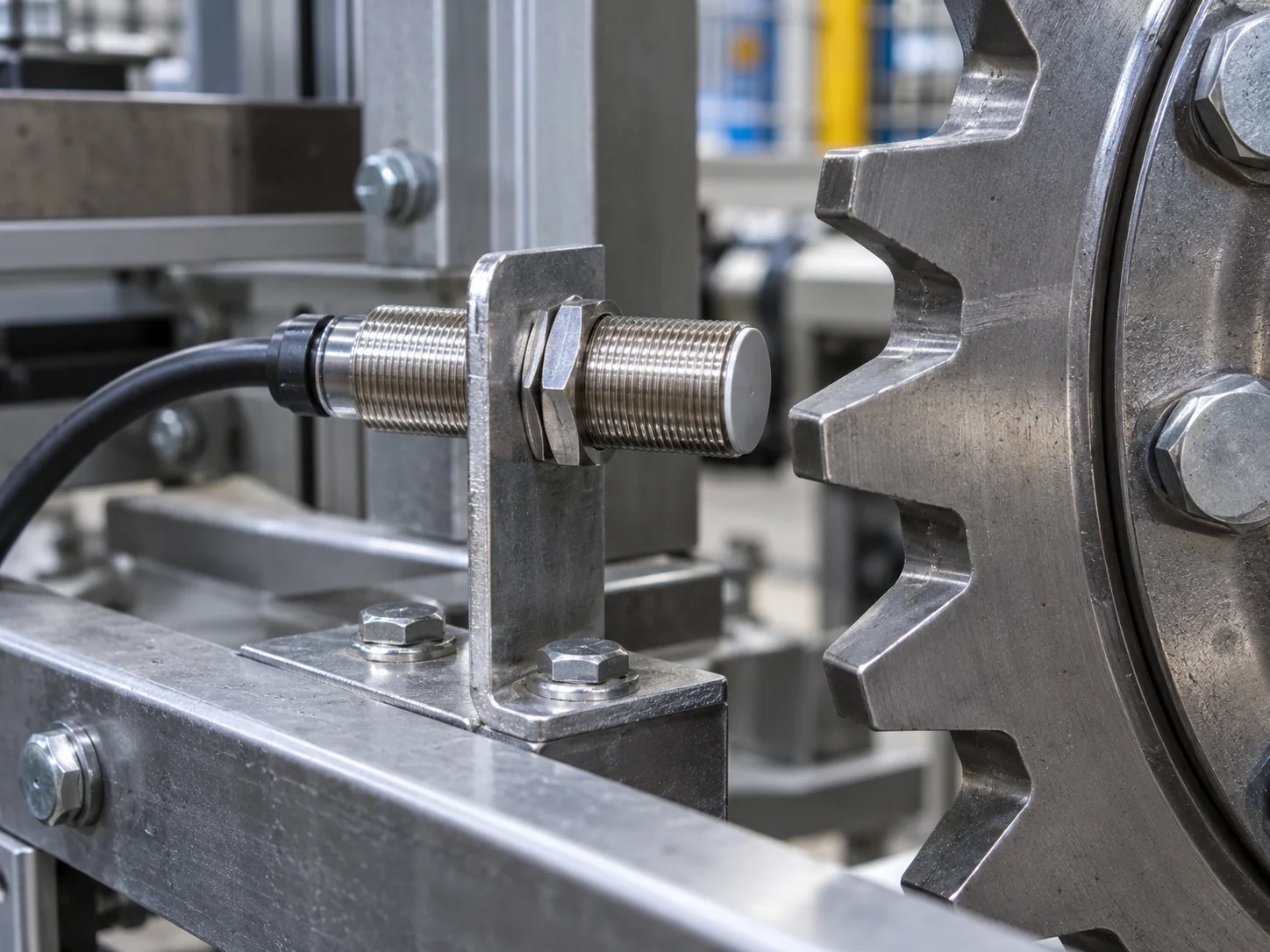
Mounting limits are often given as multiples of sensor diameter, active-face width or nominal sensing distance. Those multipliers vary by product family, so “three diameters everywhere” is not a design rule. Values such as 2d, 3d, 2Sn and 3Sn commonly appear in manufacturer mounting drawings, but the dimension they apply to varies. Use the installation drawing for the part being fitted.
| Clearance to verify | Why it matters | What to record |
|---|---|---|
| Side metal around active end | Most critical for non-flush sensors because lateral field interacts with the mounting medium. | Required protrusion and radial metal-free zone from the model drawing. |
| Opposing / background metal | A frame or guard beyond the target can remain inside the field and reduce margin. | Minimum distance from active face to fixed background metal. |
| Adjacent inductive sensors | Oscillator fields can interact and destabilise switching. | Side-by-side spacing, opposing spacing and any allowed alternating-frequency arrangement. |
| Target travel | The target may approach axially, laterally or on an arc; switching distance changes with geometry. | Worst-case minimum overlap and maximum gap through the full machine tolerance. |
| Mechanical protection | A target that can hit the face may damage the sensor even if detection is reliable. | Hard-stop position, run-out, bearing play and a non-contact safety margin. |
How do you test whether a bracket or machine frame reduces switching margin?
Start with the operate and release points in free air, then measure them again with the installed bracket, nearby frame and production target. A consistent shift after the metalwork is added shows that the mounting is changing sensing margin. The separation between operate and release points is the switching hysteresis.
- Hold the electrical conditions constant. Use the intended supply and input/load, allow the sensor to stabilise, and record the model, nominal range and mounting classification.
- Create a free-air baseline. Move the real target slowly toward the active face several times from the same direction. Record each ON point, then move away and record each OFF point.
- Add the bracket only. Keep target, motion and electrical conditions unchanged, then measure the ON/OFF points again. Any shift at this stage belongs to the bracket installation.
- Add the surrounding machine metal. Install the sensor at its final depth with frame members, guards, fasteners and background metal present, then compare the new switch points with the baseline.
- Test the tolerance extremes. Move the target to the largest intended gap and least favourable overlap. Include run-out, bracket flex and expected vibration.
- Check temperature and voltage where relevant. If the application operates near environmental limits, validate the complete installation across those limits instead of relying on room-temperature bench margin.
- Set the working gap inside the stable region. The farthest observed switch point is not a design distance. Keep the working gap inside the assured region and within the stated mounting limits.
The switch points stay repeatable after the bracket and frame are added, and the worst-case target remains comfortably inside the validated operating region.
The sensor still switches but the ON/OFF positions move materially toward the target after installation. That lost distance is lost operating margin.
The output remains influenced with no target, or the target must nearly touch the active face. Rework the mounting geometry or use a sensor intended for that installation.
The electrical switch point is stable on a static bench but chatters on the machine. Measure bracket movement and target run-out before replacing the sensor.
Symptoms of poor inductive sensor mounting
| Symptom | Likely mounting causes | Checks |
|---|---|---|
| Works on bench, misses target on machine | Nearby metal, a smaller production target, different target material, insufficient overlap or a larger installed gap. | Repeat switch-point test with bracket and real part; compare to datasheet mounting geometry. |
| Output stays ON with no intended target | Non-flush sensor embedded too deeply, side metal inside the active field or metal debris on the face. | Remove nearby metal in stages; verify flush/non-flush classification and required free zone. |
| Intermittent switching near target | Working at the edge of range, bracket vibration, target run-out or mutual interference. | Measure operate/release distance repeatedly, stiffen the bracket and verify sensor spacing. |
| One machine works, another identical machine does not | Tolerance stack, sensor-to-sensor variation within specification, bracket depth or target position. | Measure the installed gaps and mounting depths; compare them with the assured operating distance, not the best-case switch point. |
| Range changes after target material change | Material reduction factor differs from the original part. | Recalculate the gap using the sensor's material factor, or use a factor-1 sensor and revalidate the installation. |
| LED stable, PLC state wrong | Not primarily a mounting issue. | Check PNP/NPN compatibility, 2-wire leakage current, output function, supply and PLC input threshold. |
Inductive proximity sensor mounting checklist
Final checks should use the installed sensor, production target and machine mounting geometry, not a free-air setup alone.
- Confirm sensing principle. Use inductive sensing only when the required target is metallic; compare with inductive vs capacitive proximity sensors if the target changes.
- Confirm flush or non-flush mounting. Never infer mounting style from barrel diameter or appearance alone.
- Read Sa, not just Sn. Keep the working gap inside the assured or separately validated operating region.
- Validate the production part. Include material, dimensions, orientation and approach path.
- Map nearby metal. Include bracket walls, mounting plate, frame, guards, fasteners and background metal.
- Verify sensor spacing. Use the stated side-by-side and opposing clearances for that sensor family.
- Measure the machine tolerance stack. Include run-out, bearing play, thermal movement, bracket deflection and target variation.
- Bench-test in stages. Free air → bracket → full machine. Record the operate and release positions at each stage.